The Best & Simple Method of Communication Using WhatsApp Web on Computer Plus Smart Devices
What is WhatsApp and Why People Prefer to Use on Computer ?
This is a world of communication and you want to keep in touch with your’s community. The most people prefer to use smart devices whether it is Android brand or iPhone. Therefore, world famous companies are developing the software for smart devices that available in the form of Apps. But, they are not offering the same app for PC or Tablet. The only most famous app i.e. WhatsApp Web is available for computer and Tablet devices. The problem is most users do not understand , how to use WhatsApp on system. Here, it is a challenge for me to provide a simple guide for those who are interested to use the WhatsApp on web but have no idea.
Why People Prefer Web Version of WhatsApp Instead of Handheld Devices (Android, iPhone) ?
As with the passage of time, the size of multimedia files are increasing. The handheld devices have low storage and less computational capacity. Moreover, provide minimum display that has a problem to proper operate on the files. Therefore, people prefer the mix use of the WhatsApp for handheld devices and the PCs.
Main Source & Steps of Getting the WhatsApp for Web ?
There are many sources available for getting the WhatsApp Web, but we recommended to use the official link. However , we also have link to download the app for PC but again our recommendation for official website i.e. web.whatsapp.com. This link will provide you web interface for WhatsApp. You need to follow the following steps:
- First of all you need to browse the link web.whatsapp.com and you will have the interface as shown below:

- As per kind directions available on the image, you must need to open the WhatsApp on your phone. Then go to Menu/Setting and then click on it. It will appear as shown. Now the screen is showing the option of “WhatsApp Web” in circle of blue.
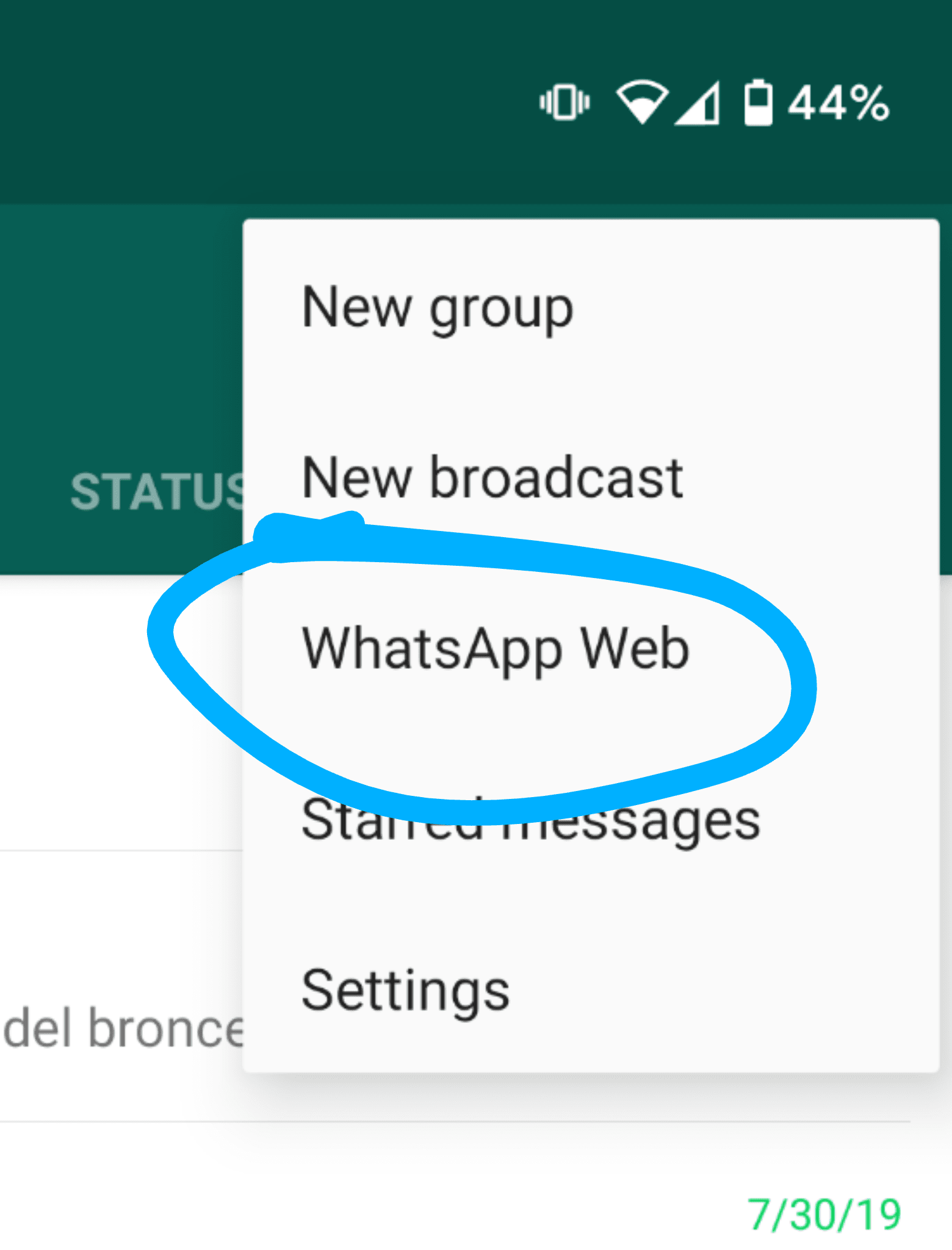
- Now your’s phone are searching the QR Code that available as on first image. You must scan the code on the desktop screen that you already open. Phone must have the working camera for scanning the QR. We will detail discuss the QR Code in bottom sections for those whom are interested to know about it.
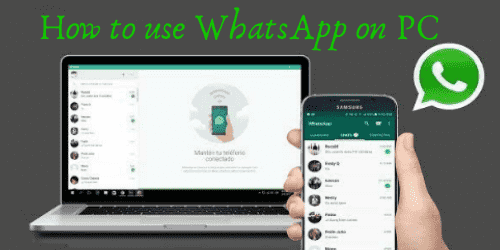
- The final step is done , if you are able to exact scanning of the code. Now you will have the screen of web for WhatsApp. The screen will be look like as below:
- Enjoy the WhatsApp on PC.
Setting the WhatsApp on iPad ,Tablet (Android, Nokia, BlackBerry)
The screen on the tablet is smaller than PC,therefore, it is a tricky to handle WhatsApp. The main reason of difficulty is that link above mentioned will redirect to download that’s why the users are confusing, therefore, here is a simple guide line , how to set WhatsApp for iPad and Android tablet:
- As, we know that Safari browser are using on iPad, therefore, you need to keep the refreshing the browser after inserting the url of Web WhatsApp until you get the desktop version as you seen above. Then follow the same guide line as you follow for the desktop.
- Similarly for Android Tablet, you keep to continue for refreshing the browser you will get the desktop version of the website and at the end same guide line as of PC.
- Do not worry, same process but need the exact page as you see on desktop version that is only tricky way as described.
How to Use WhatsApp on Laptop/System/PC using Video Tutorial ?
Understanding the text is possible difficult, therefore, we also have a video tutorial for setting the WhatsApp Web on PC/Laptop/System. Furthermore, this is same guideline for NoteBook/NotePad/iPad. So, just follow the steps and enjoy!!
Minimum System Requirements for WhatsApp Web for Desktop
There are no high system requirements for running the WhatsApp , however, we recommended the following:
- Storage Required/Disk Space: 1024.
- Browser: Chrome, Internet Explorer (8.0 and above), Mozila or any latest Browser that work on Windows.
- Operating System: Windows XP (SP 3, 64-Bits) Vista, 7 (all versions), 8, 8.1 and 10. Apple Mac
- Processor: Intel Pentium or any other compatible processor with speed not less than 1 GHz.
- RAM: Not less than 512 MB but 1 GB is required for OS other than XP
Features for Web WhatsApp
It has the same features that available for App but less as you can enjoy the PC features as well. Here are the features that available for WhatsApp:
- It is a very simple to operate in terms of messaging , file sharing , and also making the call.
- You can connect it multiple groups at the same time.
- using the API of WhatsApp real time updating is possible. This is very useful especially in case of live matches of baseball and other festival as well.
- You need some plugins that can embed to make video call using WhatsApp Web on PC.
- Graphical user interface is very simple, no need to get any training.
- People trust on WhatsApp and now a days using for the official correspondence as well. In USA most of the government department adopted for official messages.
- QR Code scanning features is awesome.
- It also provide the exact location sharing that will help to identify your’s friend location.
- Sending large size of media files not only to the individuals but also in groups.
- It can create the very long text message with the feature of read more options.
- Backup of all your’s messages and files that been used for communication.
Author’s Final Remarks
The WhatsApp web is a very useful for the user that wants to share the large size of file. It is an easy approach for media sharing companies. WhatsApp for PC is very famous among the community those are working on real time data sharing. Some of examples are cricket live score sharing, basket ball bet rate update and many more.
It is also famous among the government officials for instant messaging passing and they adopted it officially. They can monitors using video calls, image sharing but has an issue of privacy. Anyway, people love the web WhatsApp. You may also like AVG PC TuneUp Pro Crack.
Comments
Post a Comment